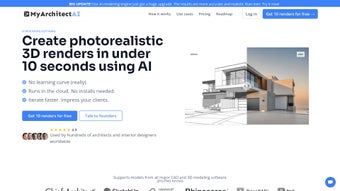

Download MyArchitectAI – AI Rendering for Architects & Designers
Overview: AI‑Powered Rendering Made Simple
MyArchitectAI is a cloud‑based AI rendering engine built specifically for architects, interior designers, and visualization specialists who need photorealistic images without the overhead of high‑end workstations. Leveraging the latest generative‑image models, the platform can turn a simple JPEG or PNG snapshot of a CAD model into a fully lit, textured, and camera‑oriented render in under ten seconds. The service accepts uploads directly from popular design tools such as SketchUp, ArchiCAD, Revit, and Rhino, allowing users to keep their existing pipelines intact.
Because the heavy lifting happens in the cloud, there is no need for local installations, drivers, or GPU upgrades – any device with a modern browser and an internet connection can access the full feature set. The software also offers a range of pre‑defined visual styles (e.g., modern, rustic, minimalist) and supports natural‑language prompts so designers can tweak lighting, material finish, or time‑of‑day with simple text commands. High‑resolution outputs are suitable for client presentations, marketing brochures, and even large‑format prints, while the commercial licensing model guarantees that the rendered assets can be used freely in paid projects.
In short, MyArchitectAI blends speed, quality, and accessibility into a single, secure platform that eliminates the traditional bottlenecks of rendering workflows, letting creative teams focus on design rather than hardware constraints.
Key Features That Accelerate Design Workflows
- Lightning‑Fast Rendering: Produce photorealistic images in under 10 seconds using a proprietary AI engine hosted on high‑performance cloud GPUs.
- Seamless CAD Integration: Upload files directly from SketchUp, ArchiCAD, Revit, Rhino, or any software that can export JPEG/PNG snapshots, preserving camera angles and perspective.
- Style Library & Text Prompts: Choose from over 30 pre‑defined visual styles or fine‑tune results with natural‑language instructions (e.g., “warm sunset lighting, walnut flooring”).
- High‑Resolution Export: Outputs up to 8 K resolution, ideal for large‑format prints, client PDFs, and marketing assets.
- Cloud‑Only Architecture: No local installation, no GPU requirements, and automatic updates ensure you always work with the latest algorithms.
- Commercial Licensing: Rendered assets can be used in paid projects, presentations, and promotional material without additional royalty fees.
- Advanced Reporting Dashboard: Track render times, style usage, and project costs from a centralized admin panel.
- Secure Data Handling: End‑to‑end encryption, GDPR‑compliant storage, and automatic deletion of files after rendering to protect client confidentiality.
- Collaboration Tools: Share live render links with teammates or clients, allowing real‑time feedback without exporting large files.
- API Access: Integrate MyArchitectAI into custom pipelines or firm‑wide tools via a RESTful API, enabling batch processing and automation.
Each feature has been designed with the real‑world needs of design studios in mind. For example, the lightning‑fast rendering engine reduces the average waiting time from several minutes (or even hours with traditional ray‑tracing) to just seconds, meaning client meetings can include live visual tweaks. The style library eliminates the need to hire a dedicated visualizer for each project; instead, designers can select a ready‑made look that matches the brand or project brief.
Because the platform lives entirely in the cloud, updates are rolled out automatically, ensuring every user benefits from the latest AI improvements without manual patches. Security is baked in at every layer: TLS encryption protects data in transit, while GDPR‑compliant storage and timed deletion keep sensitive design files safe from accidental exposure. Finally, the RESTful API gives larger firms the ability to automate batch renders, integrate directly with project management tools, and build custom dashboards that surface cost analytics across multiple projects.
Installation & Usage: No Software, Just a Browser
Getting started with MyArchitectAI is intentionally frictionless. Because the platform lives entirely in the cloud, the only prerequisite is a stable internet connection and a modern web browser (Chrome, Firefox, Edge, or Safari). Follow these steps to begin creating renders in minutes and make the most of the platform’s capabilities:
- Create an Account: Visit the official MyArchitectAI website and click “Sign Up”. You can register with an email address or use a single‑sign‑on option such as Google or Microsoft. A verification email will confirm your account and unlock a free trial of 20 renders.
- Choose a Subscription Plan: After the trial, select a plan that matches your studio’s volume. Options range from a “Starter” package (100 renders/month) to an “Enterprise” tier (unlimited renders, API access, and priority support). All plans include commercial licensing.
- Upload Your Design Snapshot: In the dashboard, click “New Render”. Drag‑and‑drop a JPEG or PNG file that captures the desired view of your model. You can also import directly from cloud storage services like Dropbox or Google Drive.
- Select a Style or Write a Prompt: Choose a visual style from the library or type a natural‑language command such as “add soft morning light, change wall color to matte white”. The AI parses the instruction and applies the changes in real time.
- Generate and Review: Hit “Render”. Within ten seconds, a high‑resolution preview appears. Use the built‑in zoom and pan tools to examine details. If needed, adjust the prompt or switch styles and re‑render – there is no extra cost for iterative tweaks.
- Download or Share: Once satisfied, download the image in PNG, JPEG, or TIFF format. Alternatively, generate a shareable link that expires after 48 hours for client review.
- Manage Projects: All renders are organized in the “Projects” tab, where you can tag, comment, and export a PDF portfolio of selected images for presentations.
- Automate with the API: For firms that require deeper integration, the REST API lets you programmatically submit batches of images, retrieve status updates, and pull finished renders into internal asset management systems.
Because everything runs on the server side, there are no drivers, plug‑ins, or background services to manage. Updates are applied automatically, so you always benefit from the latest AI model improvements without any manual effort. The platform also includes a usage‑based analytics panel that shows render time per project, style popularity, and cost breakdowns, giving managers clear insight into how rendering resources are being consumed. If you ever need to troubleshoot, a built‑in help center provides step‑by‑step guides, video demos, and a live chat option for immediate assistance. This end‑to‑end workflow—from account creation to final download—means design teams can focus on creativity rather than technical overhead.
Compatibility, Pros & Cons, and Frequently Asked Questions
MyArchitectAI is platform‑agnostic. Since the interface is web‑based, it works equally well on Windows 10/11, macOS Ventura and later, Linux distributions with a modern browser, as well as on mobile devices running iOS 15+ or Android 10+. The responsive design ensures that the dashboard and preview window adapt to any screen size, making it convenient for on‑site presentations on tablets or quick design checks on a phone.
Pros
- Ultra‑fast render times eliminate waiting periods, speeding up client presentations.
- No need for high‑end workstations; any internet‑connected device can generate high‑resolution images.
- Natural‑language prompts make style adjustments intuitive, reducing the learning curve.
- Commercial licensing removes legal uncertainty for paid projects.
- Secure, encrypted data handling protects proprietary designs and client confidentiality.
- API access enables automation and integration with existing firm workflows.
- Extensive style library offers diverse visual outcomes without hiring a dedicated visualizer.
- Scalable subscription plans cater to freelancers, small studios, and large enterprises alike.
- Built‑in analytics provide transparent cost tracking and usage reporting.
- Responsive UI works on desktops, tablets, and smartphones for flexible on‑the‑go access.
Cons
- Reliance on internet connectivity means offline rendering is not possible.
- Initial upload size limits (max 20 MB per image) may require down‑sampling of very high‑resolution CAD snapshots.
- AI‑generated results can occasionally misinterpret ambiguous prompts, requiring a few iterations.
- Pricing is subscription‑based; occasional one‑off users may find a per‑render model more economical.
- Advanced features such as batch API processing are only available on higher‑tier plans.
- Large‑format exports may take additional seconds for server‑side upscaling, though still far faster than local render farms.
Frequently Asked Questions
Can I use MyArchitectAI for exterior renders?
Yes. While the platform is marketed toward interior visualizations, you can upload exterior snapshots from any 3D model. The AI engine supports sky, sun positioning, and landscape styles, allowing you to generate realistic facades and site plans.
What file formats are accepted for upload?
MyArchitectAI accepts JPEG and PNG images up to 20 MB. Export a 2D view or a perspective snapshot from your CAD program in one of these formats, then upload directly from the web dashboard.
Is there a free trial?
A 20‑render free trial is available for new users. No credit card is required; simply register, verify your email, and you can start rendering immediately.
How secure is my data?
All uploads are encrypted in transit (TLS 1.2) and at rest. Files are automatically deleted from the server 48 hours after rendering unless you choose to store them in your project library. The service complies with GDPR and ISO 27001 standards.
Can I integrate MyArchitectAI with my existing project management tools?
Yes. The RESTful API provides endpoints for uploading images, starting renders, checking status, and downloading results. You can script these calls from tools like Asana, Trello, or custom in‑house dashboards.
Conclusion & Call to Action
MyArchitectAI bridges the gap between high‑quality photorealistic visualization and the fast‑paced demands of modern architectural practice. By offloading compute‑intensive rendering to the cloud, it eliminates the need for costly hardware while delivering results that rival traditional ray‑tracing workflows. The blend of pre‑defined styles, natural‑language prompts, and commercial licensing makes it a versatile tool for both boutique studios and large firms. If you’re looking to shorten the feedback loop with clients, produce more compelling presentation material, or simply free up your GPU resources for other tasks, MyArchitectAI offers a compelling, secure, and scalable solution.
Ready to transform your design workflow? Download MyArchitectAI now, claim your free trial, and start generating stunning renders in under ten seconds. Experience the future of architectural visualization—fast, affordable, and powered by AI.
MyArchitectAI impressed us with its speed and ease of use. The AI accurately interpreted style prompts, and the cloud‑based approach removed hardware constraints. While offline rendering is unavailable and large‑file uploads need down‑sampling, the overall value for architectural firms is high. We recommend it for teams seeking rapid iteration and high‑quality client visuals.
- Pros: Lightning‑fast, web‑based, commercial licensing, secure.
- Cons: Requires internet, upload size limits, subscription cost.



.png)



